How to Build AI Agents in n8n for Beginners: Complete Step-by-Step Guide & Blueprints
The Definitive 2026 AI Agent Tutorial for Automation Builders
If you have ever spent hours copy-pasting customer inquiries into ChatGPT, manually extracting data from PDF invoices, or writing brittle Zapier triggers, autonomous AI agents are the breakthrough you need. Discover exactly how to build AI agents in n8n for beginners—from initial node setup to multi-tool reasoning, memory buffers, and production-ready business workflows.
⚡ Zero Coding Required
🤖 Autonomous Tool Calling
💾 Self-Hosted & 100% Private
🔢 Ready-to-Use JSON Workflows
🤖 Autonomous Tool Calling
💾 Self-Hosted & 100% Private
🔢 Ready-to-Use JSON Workflows
Traditional business automation has always relied on rigid, linear logic: “If this specific trigger occurs in Form A, send an email to Address B.” While deterministic workflows are great for simple tasks, modern business operations are far too dynamic. Real-world tasks require reasoning, context evaluation, web research, and adaptive decision-making.
That is where n8n AI Agents come in. By combining n8n’s visual orchestration engine with Large Language Models (LLMs) like OpenAI GPT-4o and Anthropic Claude 3.5 Sonnet, you can now deploy autonomous digital workers that think, plan, execute multi-step tool calls, and complete complex business workloads autonomously.
Whether you want to deploy a 24/7 WhatsApp customer service assistant, automate lead scoring, or turn raw financial documents into automated spreadsheet models, this beginner-friendly blueprint will show you step-by-step how to get started.
What is an AI Agent in n8n? (Deterministic vs Autonomous)
Before connecting nodes in n8n, it is critical to understand what makes an AI Agent fundamentally different from standard n8n workflows.
| Feature | Standard n8n Workflow | n8n AI Agent Workflow |
|---|---|---|
| Execution Path | Strictly linear (Step 1 → Step 2 → Step 3) | Dynamic reasoning loop (Agent decides which steps to take) |
| Data Handling | Structured JSON with exact matching keys | Unstructured text, voice notes, PDFs, or messy data |
| Decision Making | Hardcoded IF/ELSE conditions and switch nodes | LLM evaluates intent and autonomously chooses tools |
| Memory | Stateless (forgets everything after execution) | Stateful conversation memory (Zep, Redis, Window Buffer) |
| Error Recovery | Fails immediately if API returns unexpected format | Self-correcting prompts and adaptive tool retries |
When you build an AI agent in n8n, you are not just running a prompt—you are giving an intelligent model an objective and a toolbox (calculator, web scraper, database query, email client), and allowing the model to choose which tool to invoke until the objective is accomplished.
The 4 Core Architectural Components of an n8n AI Agent
In n8n, every autonomous agent is built using the visual Advanced AI Node Suite. You connect four modular sub-nodes to the central AI Agent node:
COMPONENT 1
1. The Central AI Agent Node
The brain and coordinator. It manages the prompt instructions, sets max iterations (stopping runaway loops), and supports multiple agent paradigms including Tools Agent (for OpenAI Function Calling) and ReAct Agent (Reasoning + Acting framework).
COMPONENT 2
2. Chat Model Node (The Intelligence Engine)
Connects your API key to top-tier LLMs. For fast, high-reliability tool execution, OpenAI GPT-4o-mini or Claude 3.5 Sonnet are standard industry favorites. If you need complete on-premise data privacy, you can even connect local open-source models via Ollama. Explore our pre-tuned collection of 82 pre-configured OpenAI & LLM agent workflows to see how to properly configure system prompts and temperature settings.
COMPONENT 3
3. Memory Node (Context & History)
Enables your agent to remember previous user messages across chat sessions. Options range from lightweight Window Buffer Memory (remembers last 5-10 interactions) to enterprise persistent storage using PostgreSQL, Redis, or Vector Databases for multi-turn user retention.
COMPONENT 4
4. Tools Nodes (The Agent’s Hands)
Tools define what actions your agent can take in the external world. You can give an agent an HTTP Request Tool to query external APIs, a Code Tool to parse JavaScript, or a Vector Store Tool to search private company documentation.
Step-by-Step Guide: How to Build Your First AI Agent in n8n
Follow these 5 simple steps to launch your first autonomous agent in under 15 minutes:
Step 1: Create a New Workflow and Add a Trigger
Open your n8n workspace (self-hosted or n8n Cloud) and click Add workflow. For testing, select the When chat message received trigger node. This provides a built-in interactive chat widget right inside the n8n canvas so you can converse with your agent in real time.
Step 2: Connect the AI Agent Node
From the node library, search for AI Agent and drag it onto your canvas. Connect the output of your Chat Trigger into the input of the AI Agent node. In the node settings:
- Prompt Type: Choose Define below.
- Text: Use the expression
{{ $json.chatInput }}to pass the user’s live message directly into the model. - System Message: Write a precise role definition. For example: “You are an executive research assistant. Always provide structured, concise answers with actionable bullet points.”
Step 3: Attach the Chat Model
Click on the Model input connector of the AI Agent node and choose OpenAI Chat Model. Select your OpenAI credential and choose gpt-4o-mini or gpt-4o. Set the temperature to 0.2 for analytical and factual reliability, or 0.7 for conversational creativity.
Step 4: Attach Conversation Memory
Click on the Memory connector and add Window Buffer Memory. Set the Session Key to {{ $json.sessionId }}. This ensures that when users return or continue typing, the agent maintains continuous context without forgetting earlier instructions.
Step 5: Equip Your Agent with Tools
Click on the Tool connector. For beginners, the easiest and most powerful first tool is the Calculator tool and the Custom Tool (Workflow as a Tool). With Workflow-as-a-Tool, you can turn any separate n8n workflow—such as a database query or web scraper—into an autonomous tool that the agent can call whenever needed!
// Example: System Prompt Configuration for Business Agents
You are an autonomous Business Operations Agent for BleuBuy.
Your objective is to assist team members by researching data, analyzing reports, and dispatching notifications.
Rules:
1. Always check internal documentation before answering product questions.
2. If a user asks for calculations, invoke the Calculator Tool.
3. Keep responses professional, concise, and formatted in clean Markdown.
You are an autonomous Business Operations Agent for BleuBuy.
Your objective is to assist team members by researching data, analyzing reports, and dispatching notifications.
Rules:
1. Always check internal documentation before answering product questions.
2. If a user asks for calculations, invoke the Calculator Tool.
3. Keep responses professional, concise, and formatted in clean Markdown.
Best n8n Workflows for Business: 5 High-Impact Use Cases
Now that you know how to build basic agents, how are successful businesses using them to automate real workloads? Here are the top 5 high-ROI workflows you can deploy today:
1. 24/7 Customer Support Bots (WhatsApp & Telegram)
Traditional chatbots follow rigid branching menus that frustrate users. An n8n AI Agent connected to WhatsApp or Telegram can answer complex product queries, look up order statuses in your database, and escalate urgent tickets to a human representative on Slack.
Ready to deploy? Download our pre-built WhatsApp AI chatbot workflow templates and our Telegram AI bots configured with conversation memory and webhook handlers.
2. Autonomous Market Research & Lead Enrichment
Instead of manually browsing LinkedIn or company websites, you can trigger an n8n agent with a list of target companies. The agent uses web scraping tools, summarizes executive team details, extracts key tech stacks, and saves enriched profiles directly into your CRM.
You can deploy this in minutes with our AI research and web scraping workflow pack (41 Templates) combined with our Gmail & email AI automations for automated follow-ups.
3. n8n AI Agent Workflow for Financial Data & Spreadsheet Automation
Financial operations often suffer from manual data entry bottlenecks. In an n8n AI agent workflow for financial data, the agent monitors an email inbox for vendor invoices, uses OCR to parse PDF tables, validates invoice totals against purchase orders, and updates financial spreadsheets automatically.
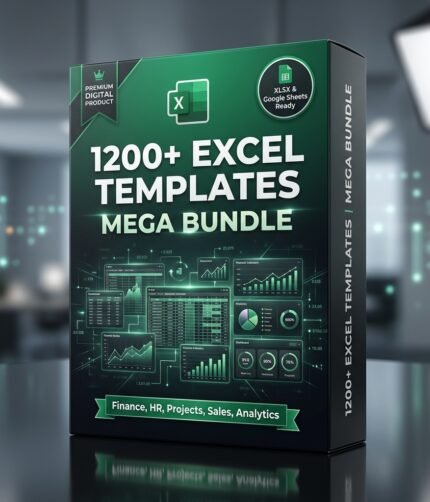
To pair with your automated data pipelines, download our PDF and invoice OCR processing workflows and connect them directly into our 1,200+ automated Excel templates mega bundle to maintain real-time Cash Flow, P&L, and expense balance sheets without manual data entry.
4. Automated Resume Screening & HR Onboarding
HR teams receive hundreds of resumes for single roles. An n8n AI agent can ingest PDF resumes from an applicant portal, match skills against job descriptions, score candidates objectively, and generate interview agendas. Explore our HR & recruitment AI templates to automate employee onboarding in one click.
5. Internal Knowledge Bases (RAG Agents)
Stop answering the same internal SOP questions on Slack. By connecting n8n’s Vector Store node (Qdrant, Pinecone, or Supabase) to Notion or Google Drive, you can create an internal knowledge base agent that cites exact company policies, sales playbooks, and technical documentation.
Pro Tips for Running Production AI Agents in n8n
- Enforce Max Iterations: In the AI Agent node settings, set Max Iterations to 5 or 7. This prevents an agent from entering an infinite loop if an external API tool returns an error.
- Use JSON Schema for Structured Outputs: When your agent outputs data destined for spreadsheets or databases, use the Structured Output Parser node to guarantee valid JSON formatting.
- Monitor Token Spend with Alerts: Monitor token consumption by logging token usage in a central Google Sheet or receiving Telegram alerts if daily API usage exceeds thresholds.
- Sanitize Input Prompts: Implement input guardrails to prevent prompt injections when exposing agents to public web forms or customer-facing chats.
Frequently Asked Questions (FAQ)
Do I need coding experience to build AI agents in n8n?
No! n8n features a completely visual, drag-and-drop canvas. While knowledge of basic JavaScript expressions and JSON is helpful for custom data formatting, you can assemble, test, and deploy powerful autonomous agents using standard visual nodes without writing code.
Can I run n8n AI agents on a self-hosted server for 100% data privacy?
Yes. n8n can be deployed via Docker on any VPS (DigitalOcean, AWS, Hetzner) or local server. When paired with local LLMs through Ollama, your workflows, customer data, and documents remain 100% self-hosted and private.
What is the best way to get started quickly?
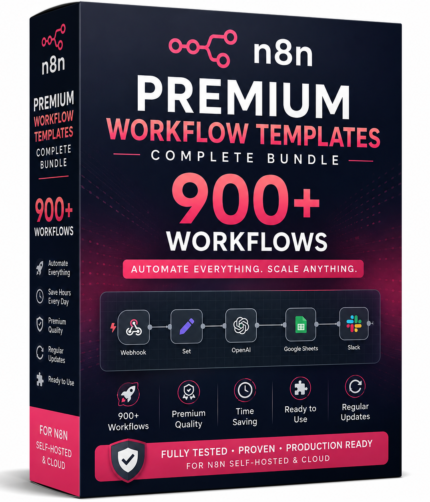
Instead of spending days configuring complex node parameters, prompt definitions, and error handlers from scratch, you can import battle-tested n8n JSON templates directly into your canvas and start running production workflows in under two minutes.